

I've been paying for fitness tracking apps for years. Monthly fees. Features I don't use. Features I wish existed but don't. At some point I thought: what if I just built exactly what I needed?
The old answer to that question was: "You can't. You'd need a developer. That costs serious money."
The new answer? AI changed everything.
Here's the full breakdown of how I built Accumulate, my personal fitness tracking app, from idea to live, secure, mobile-friendly web app. No developer. No code experience. Just AI tools, some good questions, and a few developer friends who pointed me in the right direction.
The Problem: I Don't Have 60-Minute Workout Windows Anymore
My days of blocking out an hour for the gym are done. Life happened. But I can squeeze in exercises throughout the day, 12 reps here, a plank there, a few sets of kettlebell rows between meetings.
The apps I was paying for (like Heavy) weren't built for this. They're built for structured programs. I just needed one thing: log what I did, see it add up over time. And I wasn't going to keep paying a monthly SaaS fee for that one feature.
So I built my own.
What Accumulate Actually Does
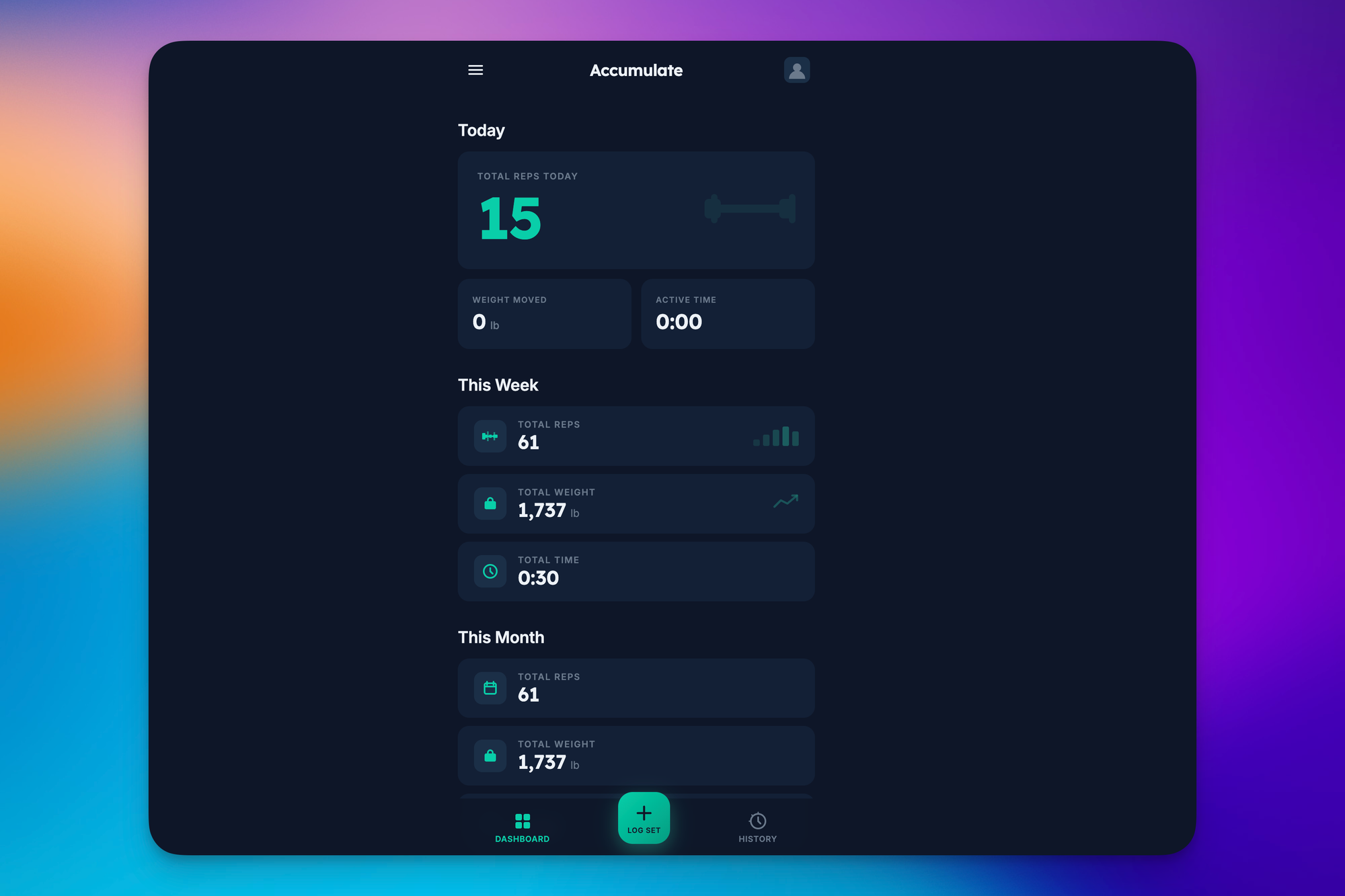
Before I get into the build, here's the finished product.
The app is simple by design. I hit the + button, log an exercise, say, 12 reps of bent-over kettlebell rows with an 18kg kettlebell, and it logs to my daily totals: total reps, total weight moved, and active time for things like planks and holds.
Then I can look back at history by day, week, or month. March: 297 reps, 7,283 pounds moved, 1:30 of active time. April so far: 46 reps, 1,737 pounds. It's not glamorous. It's exactly what I need.
Step 1: The Brain Dump - Claude Chat
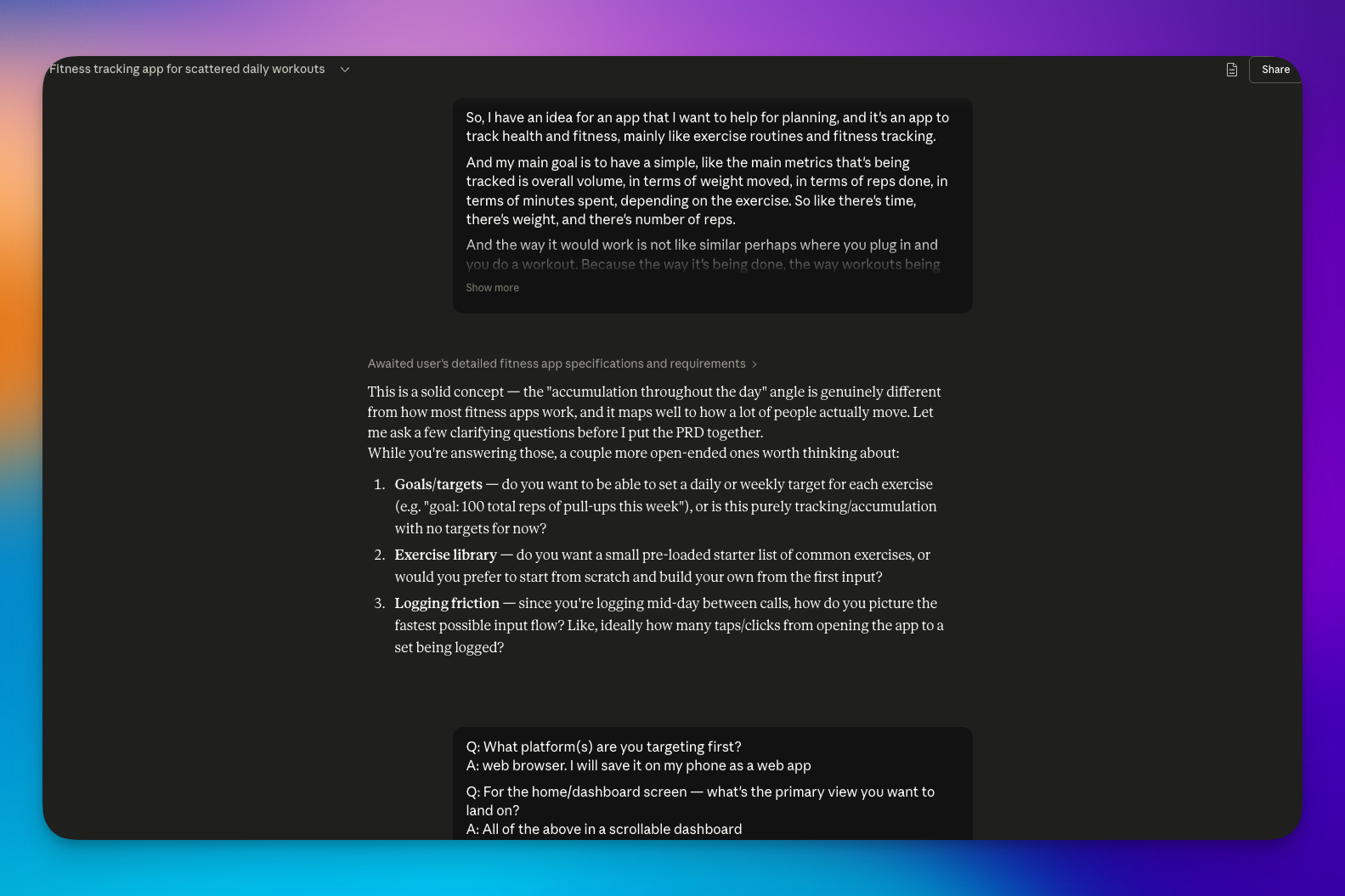
Everything started in Claude chat. Not with a perfectly written prompt. With a brain dump.
I literally talked into a microphone, explained what I wanted, had it transcribed, and pasted that into Claude. Something like: "Hey, I've got this idea. I want to build an app to track my health and fitness, mainly exercise routines, here's everything I'm thinking..." and then rambled for a few hundred words.
Claude didn't just say "okay, here's your app." It asked me clarifying questions I hadn't even thought about:
- What platform am I targeting first? (Mobile? Desktop? Both?)
- What do I want to see on the home screen?
- Should the app support multiple users?
That last one, multiple users, I hadn't even considered. The answer was easy: no. Just me. But without Claude asking, I might have gotten something way more complicated than I needed.
Step 2: The PRD - The Blueprint Everything Depends On
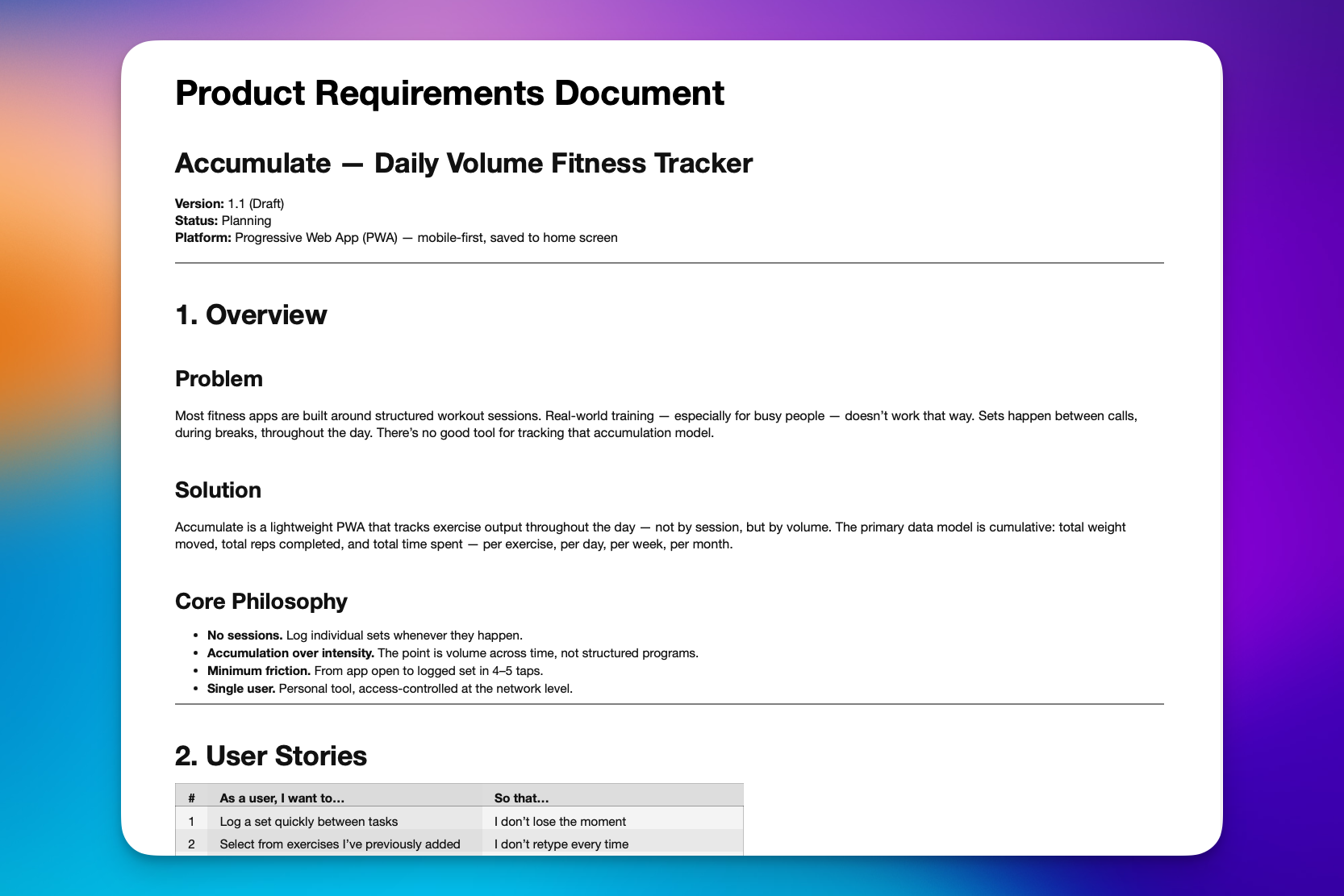
After the Q&A, Claude produced a PRD file: a Product Requirements Document.
I had no idea what that stood for until a developer friend told me: "Whatever you do, get a PRD made first. It's the blueprint. Any AI or developer you hand it to will know exactly what to build."
That advice was gold. The PRD captured everything: the purpose of the app, the features, the platform targets, the user flow, all of it. It became the single source of truth for the entire build.
Step 3: The Design , Google Stitch
I'm not a designer. At all. But I knew I needed something to show Claude Code what the app should look like, not just what it should do.
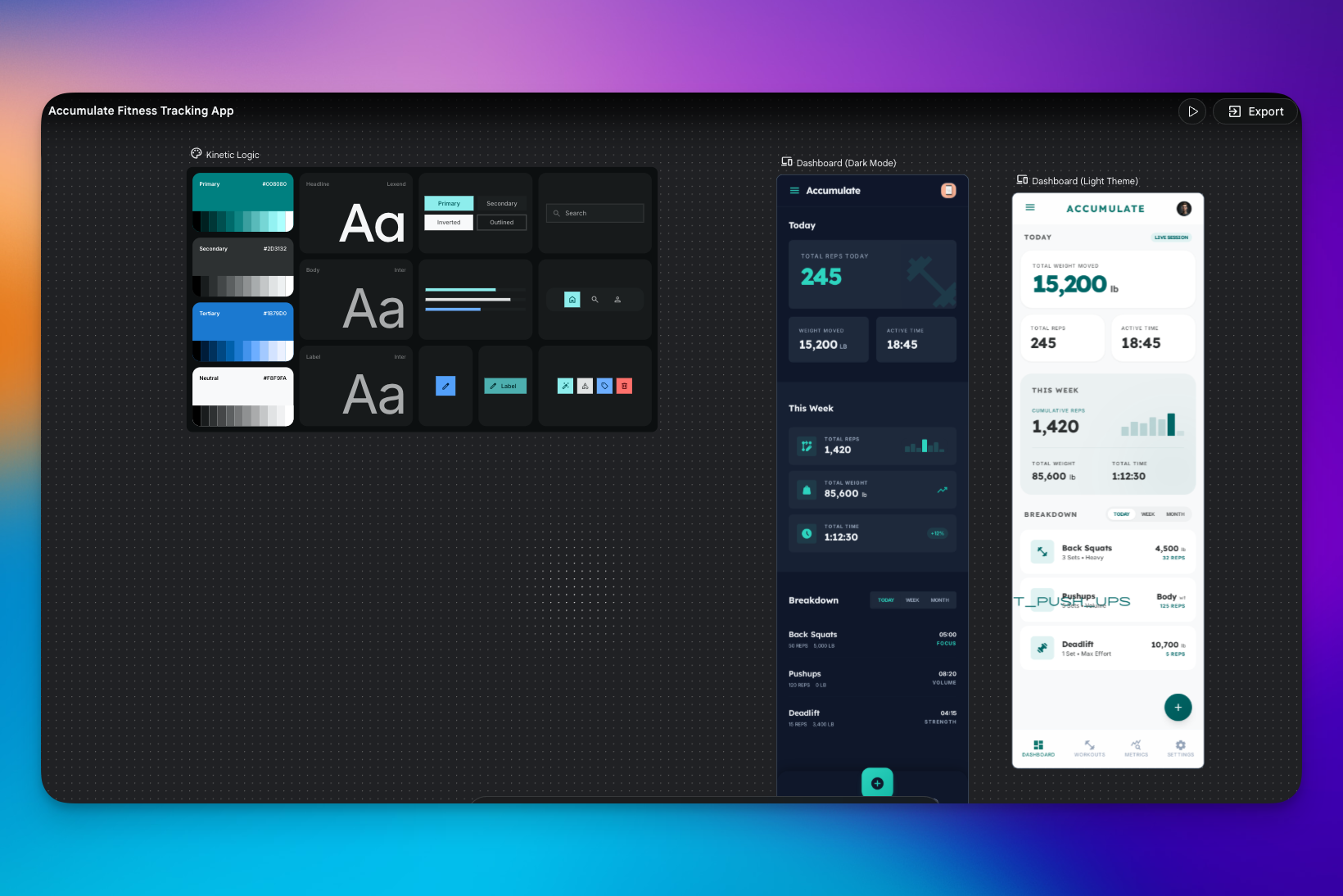
I used Google Stitch, a free, AI-powered design tool. Think of it like Figma, but it does most of the work for you. I put in the goal of what I wanted to achieve and it generated a clean dashboard: total reps for the day, weight moved, active time, the log button, all of it laid out nicely.
That screenshot became the design reference for the entire build.
Step 4: Claude Code - Actually Building the Thing
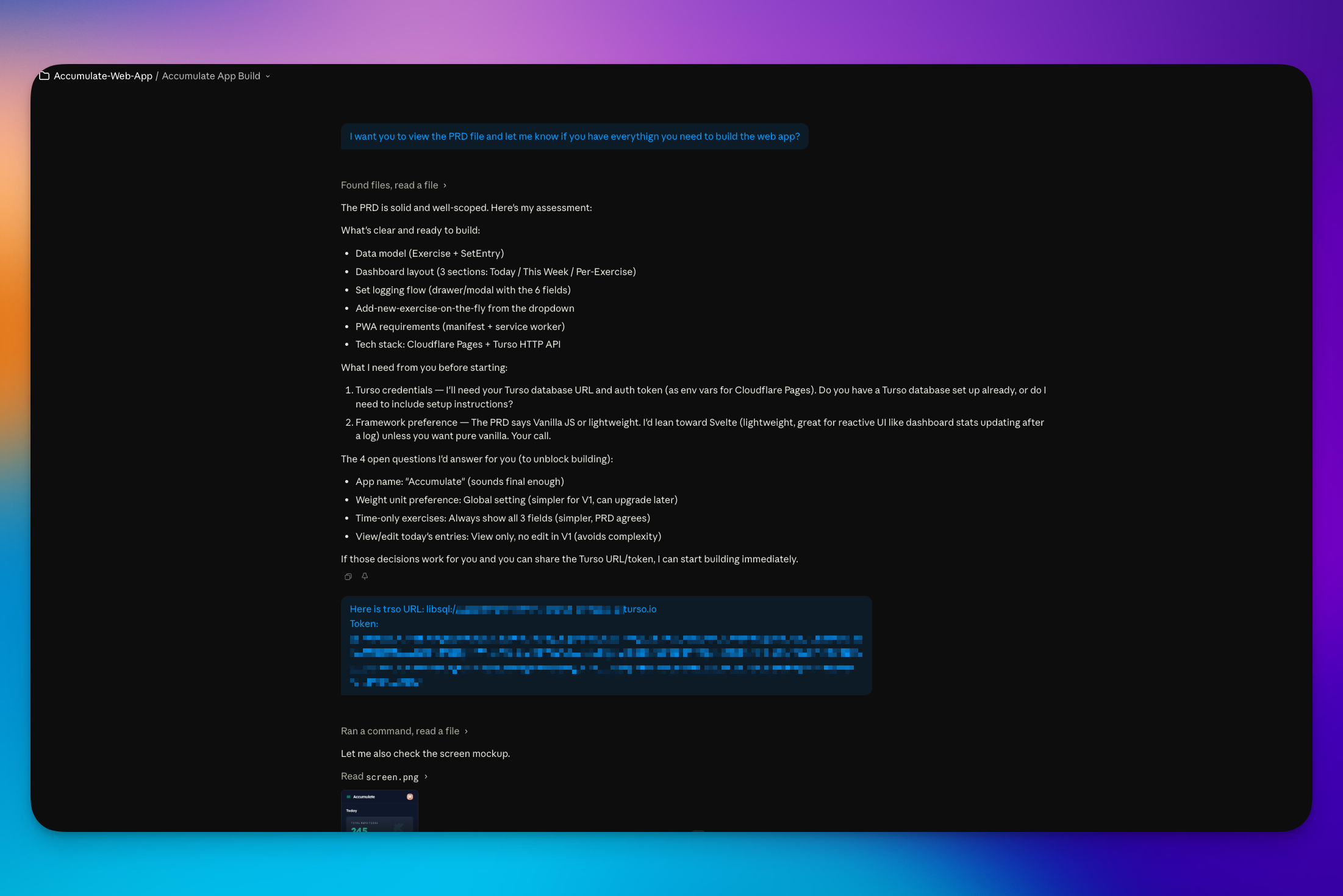
With the PRD ready and the design screenshot in hand, I moved into Claude Code.
My first message was direct: "I want you to view this file and make sure you have everything you need to get this built, because I do not want to go back and forth a million times."
Then I fed it the design screenshot too. Claude Code can see images, which is a big deal, it meant it could understand the visual layout, not just the written specs.
From there it was a back-and-forth process. Questions, adjustments, refinements. More back-and-forth than I would have liked (Claude credits add up fast), but it got there.
Step 5: GitHub - Where the Code Lives
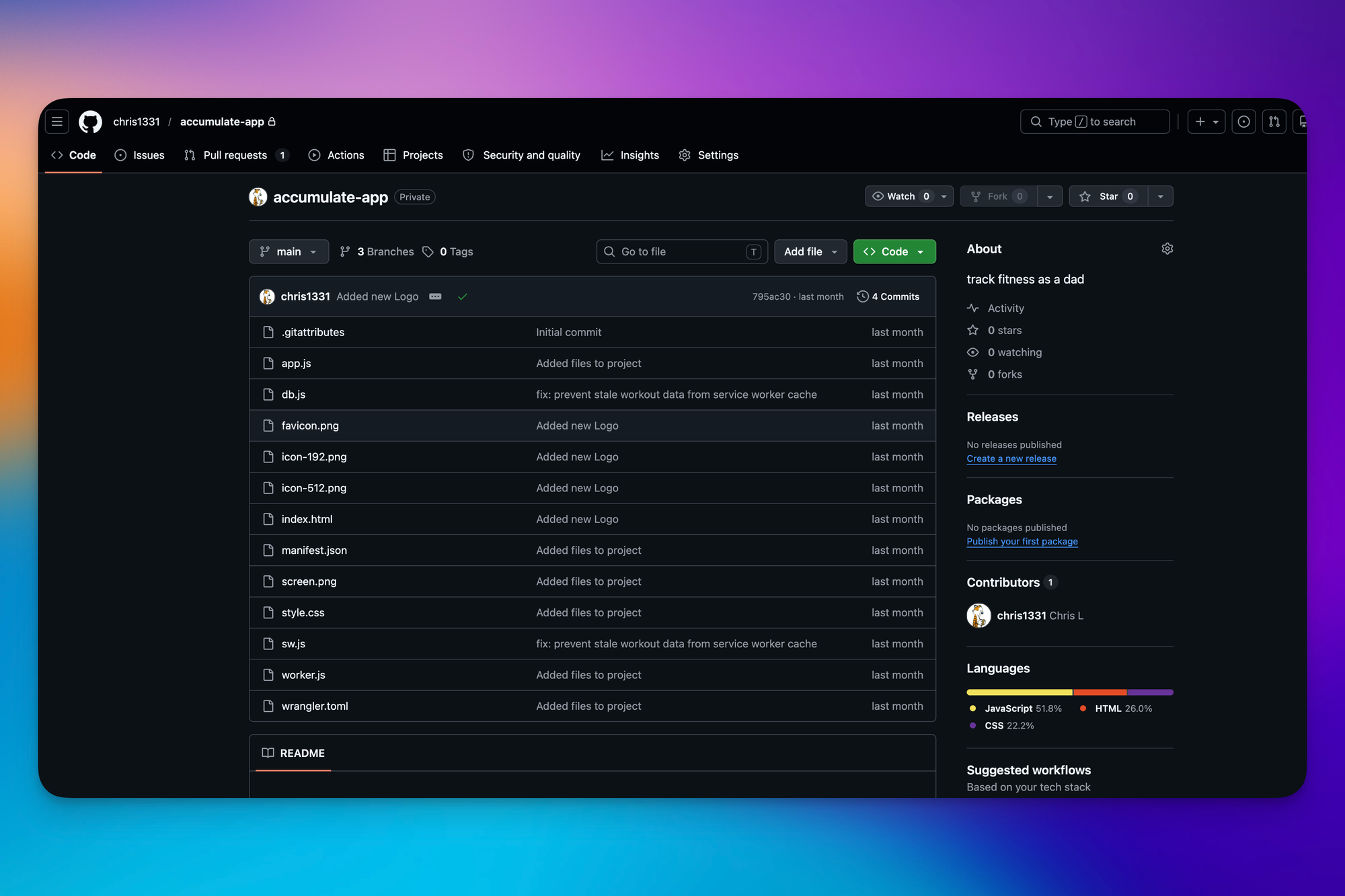
Once the app was built, it needed a home. That home is GitHub.
I'll be honest, I'm still figuring GitHub out. But the short version is: it's where developers store and manage code. Claude Code helped me push the project there, and from GitHub it could be deployed.
Step 6: Cloudflare - Making It Live
Cloudflare took the code from GitHub and made it accessible as an actual live URL I could visit on my phone or desktop.
This is the part that still kind of blows my mind. I have a real, live web app. Not a prototype. Not a local thing that only runs on my laptop. A real URL I can bookmark, open on mobile, and use every single day.
Video usage of accumulate
Step 7: Security - The Part Most People Skip
This is where most non-developer builders stop. The app works, it's live, done, right?
Not quite.
A developer friend warned me: "People are building stuff, launching it online, and it's not secure. Your data is going out there." That hit hard.
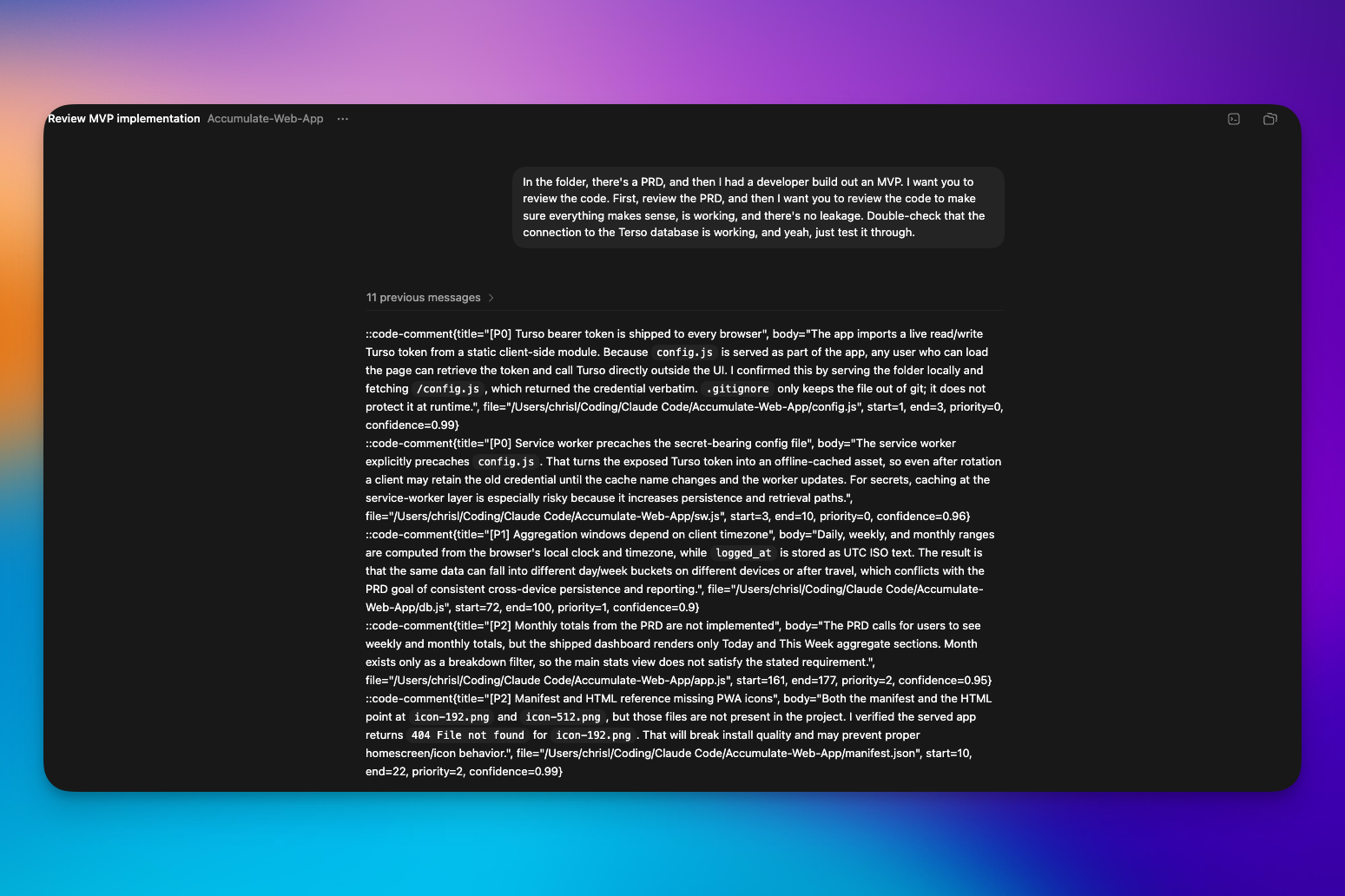
So I took the code to OpenAI Codex specifically for a security audit. Not to build anything new, just to poke holes in what I already had. Codex found some weak points and I went back and forth to fix them.
The most important fix: the app can only be accessed with my email address. You could open the URL in an incognito window right now and you're not getting in unless you have my email. That's a feature Codex helped me lock down.
The Full Tool Stack
Here's every tool that touched this build:
- Claude Chat: initial ideation, Q&A, and PRD generation
- Google Stitch: free AI design tool for creating the visual mockup
- Claude Code: the actual build, turning the PRD and design into a working app
- GitHub: code storage and version control
- Cloudflare: deployment, making the app live and accessible
- OpenAI Codex: security audit and vulnerability fixes
What This Cost Me
A few bucks a month, maybe less. Way less than the SaaS app I was using before for one feature.
The bigger investment was time and the willingness to go through the back-and-forth. AI didn't build this in one shot. It took rounds of questions, refinements, and adjustments. But at no point did it require me to know how to code.
What This Proves
I'm a marketer. I'm not a developer. I had never built an app before this.
And now I have one. It's live. It's mine. It works exactly the way I want it to. And the only people who can access it are the people I allow in.
The tools are there. The barrier isn't skill anymore, it's knowing what questions to ask. Get a PRD. Have a clear picture of what you want. Then let the AI do the heavy lifting.
Personal apps aren't just for developers anymore.